
Haiper AI Video Generator: The Ultimate Technical and Practical Guide
1. Introduction to Haiper AI Video Generator
In the rapidly growing landscape of AI-powered creative tools, Haiper AI Video Generator stands out as an innovative platform designed to revolutionize video content creation. Leveraging the latest advancements in artificial intelligence, Haiper empowers users—from marketers to educators—to transform simple text prompts and static images into dynamic, high-quality videos quickly and efficiently.
As video content continues to dominate digital engagement in 2025, platforms like Haiper AI address the pressing need for scalable, affordable, and accessible video production without requiring specialized technical skills. This guide delves into the technical underpinnings, key capabilities, and practical applications of Haiper AI, offering comprehensive insight into what users can expect and how it compares within the competitive AI video generation market.
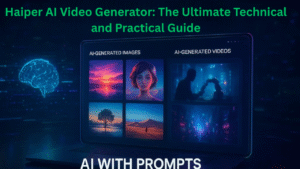
2. How Haiper AI Works: Technology Behind the Platform
At the heart of Haiper AI lies advanced machine learning algorithms that analyze textual and visual input, converting them into seamless video sequences. The platform supports two main creation modes: text-to-video and image-to-video generation.
-
Text-to-Video Generation: Users input detailed text descriptions, which Haiper’s AI interprets to generate corresponding visual scenes, movements, and transitions. This process involves natural language understanding combined with scene synthesis models trained on vast datasets, enabling Haiper to produce videos that reflect nuanced textual prompts accurately.
-
Image-to-Video Conversion: This feature allows static images to be animated by adding motion effects, camera pans, and transitions. The AI assesses the image content and applies calculated movements to create engaging video clips, ideal for enhancing photo content or creating short, visually rich storytelling moments.
Haiper AI also employs multi-image fusion, a technology that maintains style and character consistency across multiple scenes, crucial for narrative coherence in commercials or storytelling videos. The platform integrates real-time video editing capabilities, permitting on-the-fly adjustments to elements like transitions and overlays, all accessible through a user-friendly interface that simplifies complex video production workflows.
3. Core Features and Capabilities
Haiper AI offers an impressive suite of features designed to maximize creative control and output quality:
-
Real-Time Video Editing: Users can tweak motion, pacing, and transitions instantly, streamlining the production process.
-
High-Quality Outputs: The generator produces HD videos with smooth animations, delivering both photorealistic and stylized artistic options to suit various content needs.
-
Prompt Adherence and AI-Driven Creativity: Haiper’s AI algorithms ensure that video content closely follows user text prompts, preserving narrative intention and context.
-
Templates for Social Media: Curated templates optimized for platforms like TikTok, Instagram, YouTube, and LinkedIn help creators produce platform-tailored content.
-
Batch Processing: Bulk video generation capabilities allow users to create multiple videos simultaneously, enhancing productivity for agencies and marketers.
-
User-Friendly Interface: Designed for both beginners and professionals, Haiper’s intuitive dashboard minimizes the learning curve for high-quality video creation.
4. Subscription Plans and Pricing Insights
Haiper AI provides flexible subscription models to accommodate diverse user requirements:
-
Free Plan: Ideal for new users exploring basic features. Includes video generation with watermarks and limited editing options.
-
Standard Subscription: Priced monthly or yearly, removes watermarks and unlocks higher resolution and increased customization features.
-
Premium Subscription: Tailored for creative professionals and enterprises seeking advanced functionality such as faster rendering speeds, priority support, and additional creative tools.
The platform’s pricing structure balances accessibility with scalability, making professional video content creation feasible for individuals and businesses with varying budgets.
5. Use Cases Across Industries
Haiper AI finds application across multiple domains:
-
Marketing and Advertising: Creating engaging product demos, promotional videos, and brand narratives with ease—crucial for digital campaigns requiring frequent content output.
-
Education: Crafting short explainer videos, tutorials, and interactive lessons that enhance student engagement and comprehension.
-
Entertainment: Producing creative short films, animated music videos, and social media clips to capture audience attention and foster viral sharing.
-
Personal Projects: Supporting vloggers, influencers, and hobbyists in generating personalized video content like travel diaries and special occasion highlights.
Its versatility and ease of use democratize video production, enabling diverse content creators to elevate their visual storytelling without expensive equipment or extensive training.
6. Comparison with Leading Competitors
The AI video generation space is crowded, but Haiper AI distinguishes itself through its blend of ease-of-use, output quality, and feature breadth. Competitors like Runway, Luma AI, and Vidyo.ai offer various strengths such as advanced editing tools or niche focus areas.
-
Performance: Haiper matches or outperforms in text-to-video accuracy and motion realism thanks to its advanced models and prompt adherence algorithms.
-
Pricing: Haiper’s tiered subscription plans are competitive, offering better accessibility compared to some premium-priced competitors.
-
Feature Set: Haiper’s unique multi-image fusion and batch processing capabilities give it an edge for narrative and bulk content creation.
-
User Experience: Interface simplicity contrasts with some competitors’ steeper learning curves, making Haiper more accessible for non-experts.
This balance of technical sophistication and usability positions Haiper AI as a top choice for fast, quality video generation.
7. Limitations and Areas for Improvement
While Haiper AI is powerful, it currently faces limitations typical of a newer platform:
-
Video Length Constraints: Output clips tend to be short-form, which may not suit all long-form content needs.
-
Watermarks on Free Plan: Free users encounter branding overlays that limit video usage in professional settings.
-
Limited User Community and Tutorials: As a relatively fresh entrant, it offers fewer user-generated resources compared to veteran platforms.
-
Feature Development: Some advanced customization options and integrations remain under development, signaling a growth phase but also certain current feature gaps.
Continuous updates and user feedback incorporation suggest these limitations will diminish with time.
8. Emerging Trends and Future of AI Video Generators
Looking forward, Haiper AI aligns with several key trends shaping the AI video creation landscape:
-
Improved AI Understanding of Nuanced Prompts: Enhanced natural language processing will lead to more accurate visual storytelling from complex text inputs.
-
Demand for Dynamic and Longer-Form Content: Users increasingly seek AI tools capable of producing longer, coherent video narratives.
-
Integration with AR/VR Platforms: Future AI video generation will combine with immersive technologies, expanding applications in entertainment and education.
-
Collaborative AI-Human Creativity: Platforms will focus on tools that augment rather than replace human creativity, fostering synergy.
Haiper AI’s ongoing innovation suggests it will be a significant player in these evolving spaces.
9. Step-by-Step Workflow: Creating Videos with Haiper AI
Maximizing Haiper AI’s potential is straightforward:
-
Sign Up and Log In: Access the platform via web or app.
-
Choose Creation Mode: Select text-to-video or image-to-video based on content need.
-
Input Detailed Prompts or Upload Images: Provide descriptive text or static images to guide AI generation.
-
Customize Settings: Pick video styles (realistic or stylized), adjust duration, and edit motion elements.
-
Generate Video: Let Haiper’s AI process inputs and produce your video.
-
Review and Edit: Use real-time editing tools to tweak transitions, text overlays, and pacing.
-
Download or Share: Export your video in HD and use on desired channels.
Helpful tips include crafting clear, vivid prompts and experimenting with settings for best output quality and relevance.
10. Ethical Use and Creative Balance in AI Video Production
As AI video generation becomes mainstream, ethical considerations grow vital:
-
Preserving Human Creativity: AI should augment creative processes, not fully automate artistic expression.
-
Transparent Usage: Viewers deserve disclosure when content is AI-generated, fostering trust.
-
Avoiding Misinformation: Ethical safeguards are essential to prevent use in deceptive or misleading content.
-
Data Privacy: Protecting user data during video creation and storage builds user confidence and complies with regulations.